
Introduction
If you’re just starting your journey as a developer, GitHub can feel a bit overwhelming. It’s packed with tools that professionals use every day but which ones should you focus on first? You don’t need to learn everything at once. Instead, start with the features that will give you the biggest benefits right away: safety, organization, and automation. Here are my top 3 GitHub features that every beginner should master and exactly why they matter.
1. Branches & Pull Requests
Branches let you create a copy of your project to try out new changes without ever touching the main, working code. It's like having a clone of your project where you can experiment freely. Pull Requests are how you propose merging those new changes back into the main project. They serve as a formal request to "pull" your changes from your branch into the main one, often after a review process.

Benefits:
You can experiment without fear of "breaking" the live version of your project. This is the single biggest benefit for a beginner. You can try a new feature, refactor a piece of code, or fix a bug in a safe, isolated environment. If things go wrong, you can simply delete the branch and start over, leaving the main codebase untouched. It’s like having a digital sandbox for your code.
If you’re working with others, they can easily review your code before it becomes part of the main project. This is how you get valuable feedback and learn from your team. Your teammates can leave specific comments on lines of code, suggest better ways to solve a problem, and catch bugs before they ever make it to the main branch. This collaborative process is a cornerstone of professional software development.
Even if you’re working solo, PRs keep a clear history of what you changed and why, which is a lifesaver when you need to go back and understand your own decisions. By writing a descriptive PR title and a detailed description, you're building a chronological record of your project's evolution. This practice also makes it easy to revert changes if something breaks later.
Example: Imagine you want to add a dark mode feature to your site.
- Create a new branch called
add-dark-mode. This new branch is a perfect copy of your project's current state. - Make all your changes there—adding the new CSS, updating the JavaScript to handle the toggle, and testing the feature.
- When you're ready, open a PR to merge your
add-dark-modebranch into themainbranch. This PR will show exactly which files were changed, and by whom.
2. GitHub Issues
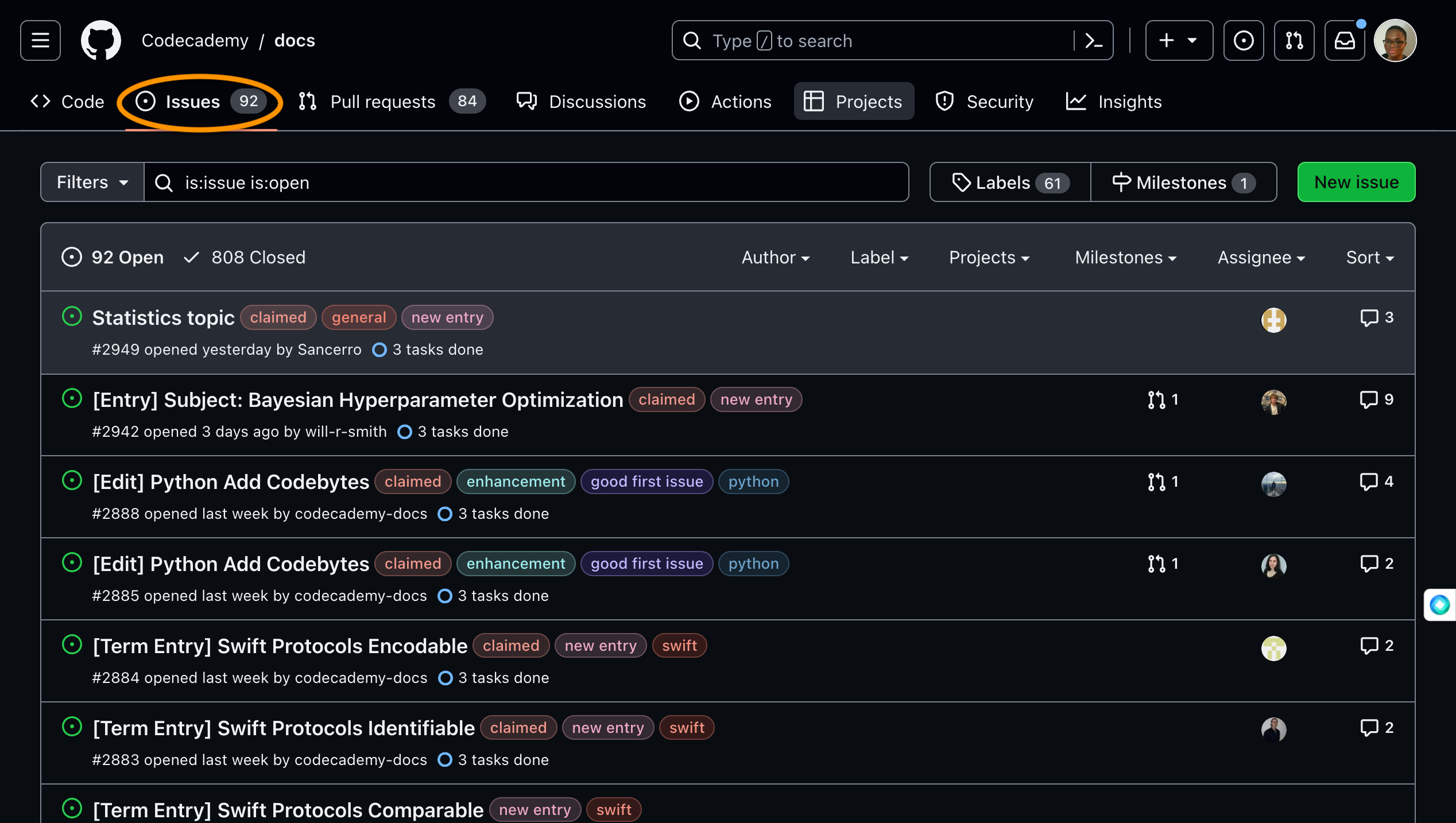
GitHub Issues are a simple, built-in tracker for bugs, new ideas, and development tasks. They’re essentially a living to-do list for your project that the entire team can see and interact with.
Benefits:
It keeps your work organized and helps you avoid those "I'll remember to fix that later" disasters. By logging an issue, you're not just creating a note; you're creating a permanent, searchable record of a problem or task. This is far more reliable than a sticky note or a mental checklist.
It makes it easy to break down large, overwhelming projects into smaller, manageable tasks. Instead of thinking, "I need to build a user authentication system," you can create individual issues for "Create login page," "Add a sign-up form," and "Implement password reset functionality." This makes the project feel less daunting.
You can assign tasks to yourself or teammates and label them (e.g.,
bug,feature,documentation) for clarity. This helps everyone on the team understand the priority and type of a given task at a glance. You can also use Milestones to group issues for a specific release or deadline.
Example: Instead of keeping a bug fix in your head, log it as an issue and when you fix the bug, you can link the Pull Request to this issue, and GitHub will automatically close the issue when the PR is merged, providing a complete record of the fix.
3. GitHub Actions
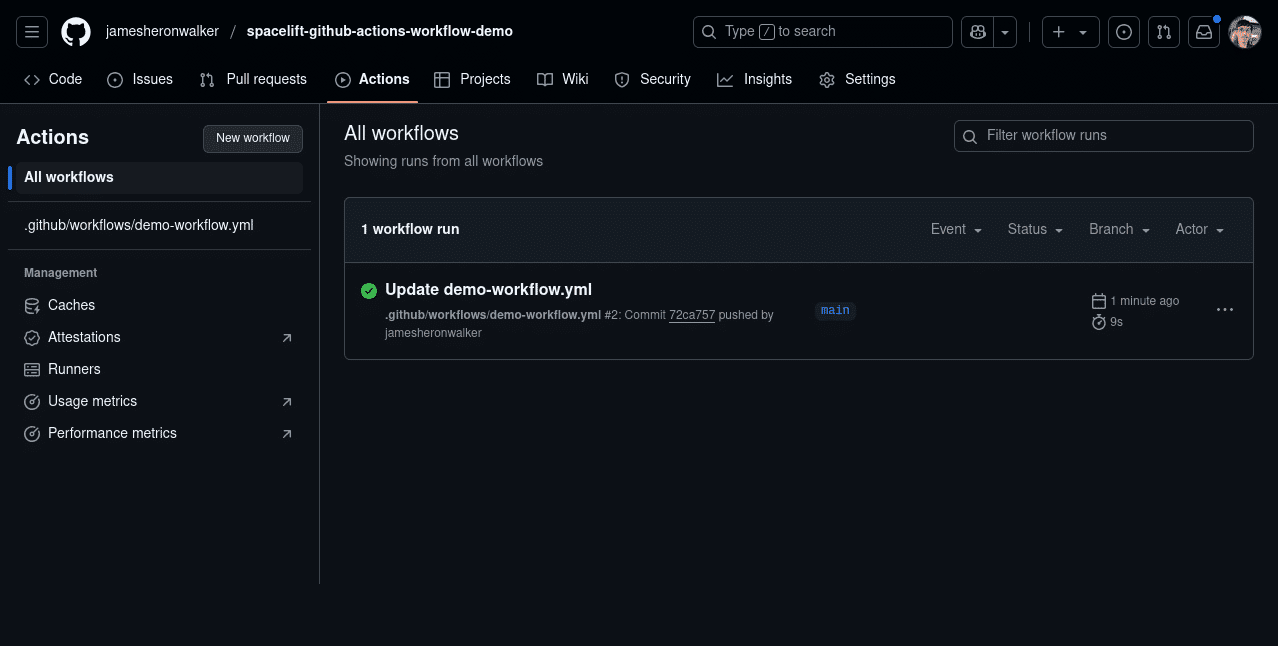
GitHub Actions lets you automate tasks in your development workflow. This can be anything from running tests on your code to deploying your website every time you push an update. It’s a powerful tool that makes sure your code is always in a good, working state.
Benefits:
It saves you a ton of time by running tedious tasks automatically, so you don't have to do them manually. For example, you can set up a workflow that automatically checks your code for formatting errors with a tool like Prettier. This means you never have to worry about manually formatting your code again.
It helps reduce mistakes by automatically checking your code for errors before it goes live. You can configure actions to run tests every time you push to a branch. If a test fails, the action will fail, and you'll be notified immediately. This is a critical safety measure that prevents broken code from ever being merged.
You can start with pre-made workflows from the GitHub Marketplace, so you don’t need to know how to code the automation yourself. There are hundreds of community-built actions for everything from deploying to various hosting services to running security scans.
Example:
You can set up an action to automatically deploy your portfolio site to GitHub Pages every time you push new updates, eliminating the need for any manual uploads. This means every time you fix a typo or add a new project, your live site will be updated automatically, making your workflow incredibly efficient.
Now that you know the top 3 features, what's your next step? Try creating your first branch and pull request today! What other GitHub features are you curious about? Let us know in the comments below.
Comments
Post a Comment